Showing posts with label Green. Show all posts

Friday, January 30, 2009

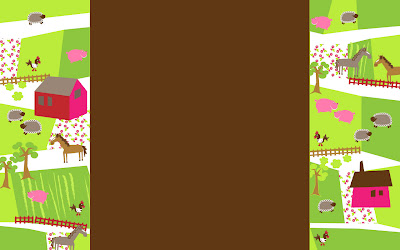
Down on the Farm...


You must have an account with Blogger, and you must be using the Minima Template (Standard or Lefty - but NOT Stretch.)

1. Sign in to Blogger. This will take you to your Dashboard.

2. Select your Blog, then click on Layout.

3. You are now in the 'Add and Arrange Page Elements' screen. Click 'Add a Gadget' in your Sidebar Elements.

4. The 'Add a Gadget' window will open. Scroll down to the 'HTML/JavaScript' gadget, and click on the (+) sign.

5. You are now in the 'Configure HTML/JavaScript' Screen. Under 'Content' you'll see a large box, paste the entire HTML code following (found after the design you like,) into that space.

6. Click 'Save'. And now you have a new background!


<style type="text/css">body {background-image: url("https://lh3.googleusercontent.com/blogger_img_proxy/AEn0k_v4RbE4sr2OxI1KfTv0yS38SuP8tYldDBpaku0jm23jnnlG76SuLERo5JRKgYoYBuj2HjZ3r7sdlX-9qQU1eJ4EC2B7pO9zZlmCc684swlX8A0fRa1IBFhhL1GAA_JeSgDLOmp6lrRJDYergxwxYwksjgOuVcpuW3VjY3PwzpRujL5akPg6Q77lp4juC7vdU7cB=s0-d"); background-position: center; background-repeat: no-repeat; background-attachment: fixed; }</style><div id="tag" style="position:absolute; left:0px; top:0px; z-index:50; width:150px; height:50px;"><br /><br/><a href="http://www.blogaroozer.com" target="_blank"><img border="0" src="https://lh3.googleusercontent.com/blogger_img_proxy/AEn0k_vjqZa6-L8erEe_XhcsU9QHkt_slSMY_ewtqmSyP1v2flWqc4X4GP7MdhsyOZbd71jLy0dp7eFzDLm94WzN1pXbUk0GXhil_gqO60y5nu1ND9T1HRRn62ORYbjgJF3zZfzEZNsNaNhrQGsNH2kNRnaEf61fOdIjxD2ANul5k9JjNlK8GIJByK7rlvS57i9wZ-W6z0qg0VriYfBF=s0-d"></a></div>

Dandelion Dreams


You must have an account with Blogger, and you must be using the Minima Template (Standard or Lefty - but NOT Stretch.)

1. Sign in to Blogger. This will take you to your Dashboard.

2. Select your Blog, then click on Layout.

3. You are now in the 'Add and Arrange Page Elements' screen. Click 'Add a Gadget' in your Sidebar Elements.

4. The 'Add a Gadget' window will open. Scroll down to the 'HTML/JavaScript' gadget, and click on the (+) sign.

5. You are now in the 'Configure HTML/JavaScript' Screen. Under 'Content' you'll see a large box, paste the entire HTML code following (found after the design you like,) into that space.

6. Click 'Save'. And now you have a new background!


<style type="text/css">body {background-image: url("https://lh3.googleusercontent.com/blogger_img_proxy/AEn0k_tgztKOMDFUKdPIwHImp9QPvHRg4U2jLpZWqlVlxZRzpexSX89Y57KgLGj0pZwcuxnZKdF4hvszkEFwTYQuC96pk_i0PHyjSyPCS2VrmPp_TNtIsiRRV0G2YqvdVtN2rl2QGJW-6uPs10afoNt2gfgmCdiD4F9QXm1RojOf_b4iUm7jZWKszyeE7xWHtDVktY8x=s0-d"); background-position: center; background-repeat: no-repeat; background-attachment: fixed; }</style><div id="tag" style="position:absolute; left:0px; top:10px; z-index:50; width:150px; height:50px;"><br /><a href="http://www.blogaroozer.com" target="_blank"><img border="0" src="https://lh3.googleusercontent.com/blogger_img_proxy/AEn0k_tBhTXHHlOCwg03pWFdj5cMr6_hwh3epFpVM1TGgKePL432ZLn9FYcrqAsxS0in31D2BunC0OVtG6OjW1iJPAZAQzwJC341Aal4dY9a-Yd_uoZl8sRPTASPl1H1HL9U4lyjP7HzXQeO5Z8tLUAa5FvJDhUQ6EmvuDYJuLISKzrtTnOULzxHh7qLHPf5rvd5vVmeMOe81Hx1lkMfxg=s0-d"></a></div>

Wednesday, January 28, 2009

Garden Trellis Spring


You must have an account with Blogger, and you must be using the Minima Template (Standard or Lefty - but NOT Stretch.)

1. Sign in to Blogger. This will take you to your Dashboard.

2. Select your Blog, then click on Layout.

3. You are now in the 'Add and Arrange Page Elements' screen. Click 'Add a Gadget' in your Sidebar Elements.

4. The 'Add a Gadget' window will open. Scroll down to the 'HTML/JavaScript' gadget, and click on the (+) sign.

5. You are now in the 'Configure HTML/JavaScript' Screen. Under 'Content' you'll see a large box, paste the entire HTML code following (found after the design you like,) into that space.

6. Click 'Save'. And now you have a new background!


<style type="text/css">body {background-image: url("https://lh3.googleusercontent.com/blogger_img_proxy/AEn0k_tobVQo88X24HvgRVVoRLQqefm2s5xgXmri1R0Ux6qSa4hEYS2PI87tiuG25ZaDU13iUq5dqjFl5m7FbDpAUBWHrZoDQ1B04OwU2Dlb6garo6B9gRoq2d-sfkuk0x9vNIZkVHFzFs1WkD-0G9WGWi-sV3Pr0WkkeN2BwI_aN7m7ugM99ifg2Dd8L82uQF1fo_GL=s0-d"); background-position: center; background-repeat: no-repeat; background-attachment: fixed; }</style><div id="tag" style="position:absolute; left:0px; top:30px; z-index:50; width:150px; height:50px;"><br /><a href="http://www.blogaroozer.com" target="_blank"><img border="0" src="https://lh3.googleusercontent.com/blogger_img_proxy/AEn0k_vjqZa6-L8erEe_XhcsU9QHkt_slSMY_ewtqmSyP1v2flWqc4X4GP7MdhsyOZbd71jLy0dp7eFzDLm94WzN1pXbUk0GXhil_gqO60y5nu1ND9T1HRRn62ORYbjgJF3zZfzEZNsNaNhrQGsNH2kNRnaEf61fOdIjxD2ANul5k9JjNlK8GIJByK7rlvS57i9wZ-W6z0qg0VriYfBF=s0-d"></a></div>

Bavarian Lovebirds


You must have an account with Blogger, and you must be using the Minima Template (Standard or Lefty - but NOT Stretch.)

1. Sign in to Blogger. This will take you to your Dashboard.

2. Select your Blog, then click on Layout.

3. You are now in the 'Add and Arrange Page Elements' screen. Click 'Add a Gadget' in your Sidebar Elements.

4. The 'Add a Gadget' window will open. Scroll down to the 'HTML/JavaScript' gadget, and click on the (+) sign.

5. You are now in the 'Configure HTML/JavaScript' Screen. Under 'Content' you'll see a large box, paste the entire HTML code following (found after the design you like,) into that space.

6. Click 'Save'. And now you have a new background!


<style type="text/css">body {background-image: url("https://lh3.googleusercontent.com/blogger_img_proxy/AEn0k_sNczZZXoN1wAVH1pm3Op05g4nUK1bluOVr9fYHpl122b8wVWkbD34R6_FzFkzj96n8OJh3WzYNI_pzDjuEwRgQC_CUqcNzhL31WC6T9rRDxmZckFx6lyrHCc20E9c5vw6BVwXnROrd_1I-Egc4jU6WTQAKg2hJvU6BSy05ssXWtbjooMYc_t2oA4FNEYaBJc8=s0-d"); background-position: center; background-repeat: no-repeat; background-attachment: fixed; }</style><div id="tag" style="position:absolute; left:0px; top:30px; z-index:50; width:150px; height:50px;"><br /><a href="http://www.blogaroozer.com" target="_blank"><img border="0" src="https://lh3.googleusercontent.com/blogger_img_proxy/AEn0k_vjqZa6-L8erEe_XhcsU9QHkt_slSMY_ewtqmSyP1v2flWqc4X4GP7MdhsyOZbd71jLy0dp7eFzDLm94WzN1pXbUk0GXhil_gqO60y5nu1ND9T1HRRn62ORYbjgJF3zZfzEZNsNaNhrQGsNH2kNRnaEf61fOdIjxD2ANul5k9JjNlK8GIJByK7rlvS57i9wZ-W6z0qg0VriYfBF=s0-d"></a></div>

Garden Variety Spring Stripes


You must have an account with Blogger, and you must be using the Minima Template (Standard or Lefty - but NOT Stretch.)

1. Sign in to Blogger. This will take you to your Dashboard.

2. Select your Blog, then click on Layout.

3. You are now in the 'Add and Arrange Page Elements' screen. Click 'Add a Gadget' in your Sidebar Elements.

4. The 'Add a Gadget' window will open. Scroll down to the 'HTML/JavaScript' gadget, and click on the (+) sign.

5. You are now in the 'Configure HTML/JavaScript' Screen. Under 'Content' you'll see a large box, paste the entire HTML code following (found after the design you like,) into that space.

6. Click 'Save'. And now you have a new background!


<style type="text/css">body {background-image: url("https://lh3.googleusercontent.com/blogger_img_proxy/AEn0k_tt3PDf0iJi9_xajZjWW4iMUAu5xjex0JAiZvh6UKPO5HSnlP0KzgPskMqu883OLnWaXPTtN9tn7aNjOurrmcesThFjO-9mJlGoRnjmCy6pjIVodocPV5DKjgTOPEo2jFjLfBDAzQ3AnIVvkXBXMdKlUcG1o_kLdDzHUam2EXBu6mq66xnBfhn3MK2_JudCcVZP=s0-d"); background-position: center; background-repeat: no-repeat; background-attachment: fixed; }</style><div id="tag" style="position:absolute; left:0px; top:30px; z-index:50; width:150px; height:50px;"><br /><a href="http://www.blogaroozer.com" target="_blank"><img border="0" src="https://lh3.googleusercontent.com/blogger_img_proxy/AEn0k_vjqZa6-L8erEe_XhcsU9QHkt_slSMY_ewtqmSyP1v2flWqc4X4GP7MdhsyOZbd71jLy0dp7eFzDLm94WzN1pXbUk0GXhil_gqO60y5nu1ND9T1HRRn62ORYbjgJF3zZfzEZNsNaNhrQGsNH2kNRnaEf61fOdIjxD2ANul5k9JjNlK8GIJByK7rlvS57i9wZ-W6z0qg0VriYfBF=s0-d"></a></div>

Green & Blue Polka Dot Illusion


You must have an account with Blogger, and you must be using the Minima Template (Standard or Lefty - but NOT Stretch.)

1. Sign in to Blogger. This will take you to your Dashboard.

2. Select your Blog, then click on Layout.

3. You are now in the 'Add and Arrange Page Elements' screen. Click 'Add a Gadget' in your Sidebar Elements.

4. The 'Add a Gadget' window will open. Scroll down to the 'HTML/JavaScript' gadget, and click on the (+) sign.

5. You are now in the 'Configure HTML/JavaScript' Screen. Under 'Content' you'll see a large box, paste the entire HTML code following (found after the design you like,) into that space.

6. Click 'Save'. And now you have a new background!


<style type="text/css">body {background-image: url("https://lh3.googleusercontent.com/blogger_img_proxy/AEn0k_upekd0px5uyY9PHQbE50Y1IJnvXN59dMhgroY-oqLClHbkZphO1M5mZs0QKD6Rra5mpcYykewvjzJFQ7CcNI7468nrqUO3aywn82V6wppiX38fZ5_iVnJMVhvZlxCpOYfTjIPkkWsRFgtMTQ6kHZA1IF5hgi7CD9nSH7jpN9ynJGIS0qhnUqPdmDB8-5oYZJ0=s0-d"); background-position: center; background-repeat: no-repeat; background-attachment: fixed; }</style><div id="tag" style="position:absolute; left:0px; top:30px; z-index:50; width:150px; height:50px;"><br /><a href="http://www.blogaroozer.com" target="_blank"><img border="0" src="https://lh3.googleusercontent.com/blogger_img_proxy/AEn0k_u-69noqoJTa_-cQElHFrvvWnc7MpV6PQXa7xWHp2BQoLXa_lEo0FYcQDh2kE82qITT5Z5JJ-GQx5qpaPd1fJnH7utnheRcVPfid-k2S0ntQeYAAz_baRkyXabMtUQSxZ64Od6FnxUHs86QjNp3shXqaiJRuHYxUEyOT1Ik4VUelUKzZtUAA_IV7dUlDJMGx5Uz_DwzMku5w33a=s0-d"></a></div>

Thursday, January 1, 2009

Forever Green


You must have an account with Blogger, and you must be using the Minima Template (Standard or Lefty - but NOT Stretch.)

1. Sign in to Blogger. This will take you to your Dashboard.

2. Select your Blog, then click on Layout.

3. You are now in the 'Add and Arrange Page Elements' screen. Click 'Add a Gadget' in your Sidebar Elements.

4. The 'Add a Gadget' window will open. Scroll down to the 'HTML/JavaScript' gadget, and click on the (+) sign.

5. You are now in the 'Configure HTML/JavaScript' Screen. Under 'Content' you'll see a large box, paste the entire HTML code following (found after the design you like,) into that space.

6. Click 'Save'. And now you have a new background!


<style type="text/css">body {background-image: url("https://lh3.googleusercontent.com/blogger_img_proxy/AEn0k_vuuEAf4fDU_CmZ5wGmm7258S14xUM1WulQv3rmCc7PbRZiu1j3O2vbVbUSI7UCq2HQmfYpeML8FOog6OHsZ53gT_6H5TFnXA1NW80tD8VSAKp80CSskjHZk5eZroIMNn5zSFThkaApZ9-0bp9X0rZ2fT_q0pueqPZYvvQu2cS8Ju5BomyWmJU0YrMhY8R2dkBCgg=s0-d"); background-position: center; background-repeat: no-repeat; background-attachment: fixed; }</style><div id="tag" style="position:absolute; left:0px; top:10px; z-index:50; width:150px; height:50px;"><br /><a border="0" href="http://i410.photobucket.com/albums/pp183/ksdelaat/Blogaroozer%20Files/Blogaroozer%20Tags/Blogaroozer-Tag-Green_White.jpg" /></a></div>

Shamrock Dreamin'


You must have an account with Blogger, and you must be using the Minima Template (Standard or Lefty - but NOT Stretch.)

1. Sign in to Blogger. This will take you to your Dashboard.

2. Select your Blog, then click on Layout.

3. You are now in the 'Add and Arrange Page Elements' screen. Click 'Add a Gadget' in your Sidebar Elements.

4. The 'Add a Gadget' window will open. Scroll down to the 'HTML/JavaScript' gadget, and click on the (+) sign.

5. You are now in the 'Configure HTML/JavaScript' Screen. Under 'Content' you'll see a large box, paste the entire HTML code following (found after the design you like,) into that space.

6. Click 'Save'. And now you have a new background!


<style type="text/css">body {background-image: url("https://lh3.googleusercontent.com/blogger_img_proxy/AEn0k_sWQGWWGbRid0rp9aeawp6i_40oCajDfm-HJeMicUCOL0VWezChbE3F2a6ioujVaZTuhAumAjz49d4eIRppOxpf7Of9hz4uyo8HJWNy_CQVO0UxWYj3YPLDUYtx7KwuGKwy5RJeq8NanI9-eh5WDlVRF21TePADXRev0BtrWcgMn754To06BTP49pCQ75u-0qnY=s0-d"); background-position: center; background-repeat: no-repeat; background-attachment: fixed; }</style><div id="tag" style="position:absolute; left:0px; top:10px; z-index:50; width:150px; height:50px;"><br /><a href="http://www.blogaroozer.com" target="_blank"><img border="0" src="https://lh3.googleusercontent.com/blogger_img_proxy/AEn0k_sMTrDPzukcO4qLRvM_XHfRDJymWjCh7oHkmonr5EI0fChDQ-4qmwzvcurFwyJdp4vU55wFwhrj4UYM8n4vdO5HUr1zWrdGhHz0qouYQvVE5zfOCaJvUSHyPOTk7KYra3iA0C6Hbc6uA8syes4sLE6hXTRpzze2OfE93EkM-xHEQNQlr2TDyM3yJ1uczAEqNbjeORTbZANVUpsP=s0-d"></a></div>

I C Shamrocks...


You must have an account with Blogger, and you must be using the Minima Template (Standard or Lefty - but NOT Stretch.)

1. Sign in to Blogger. This will take you to your Dashboard.

2. Select your Blog, then click on Layout.

3. You are now in the 'Add and Arrange Page Elements' screen. Click 'Add a Gadget' in your Sidebar Elements.

4. The 'Add a Gadget' window will open. Scroll down to the 'HTML/JavaScript' gadget, and click on the (+) sign.

5. You are now in the 'Configure HTML/JavaScript' Screen. Under 'Content' you'll see a large box, paste the entire HTML code following (found after the design you like,) into that space.

6. Click 'Save'. And now you have a new background!


<style type="text/css">body {background-image: url("https://lh3.googleusercontent.com/blogger_img_proxy/AEn0k_u1eV3Z8301My09-Eor2GKfpQNNovMwYAiJXyR2v4xgGZ8ER4MXeKMQMbOVw_EUAkuh6V9-0a-zNuqobf7j2up3U0pAsLPSR-NWlTJgKJbNw07rx11IIK-gVhGmp_ZhcgDSaFRRWO21VERtpqBjD-uChPoL3dx583L1fkXDIFRAzE15SnVQ1vkcoOrFU7Twbrgb=s0-d"); background-position: center; background-repeat: no-repeat; background-attachment: fixed; }</style><div id="tag" style="position:absolute; left:0px; top:10px; z-index:50; width:150px; height:50px;"><br /><a border="0" href="http://i410.photobucket.com/albums/pp183/ksdelaat/Blogaroozer%20Files/Blogaroozer%20Tags/Blogaroozer-Tag-Blue_White.jpg" /></a></div>